> ## Documentation Index
> Fetch the complete documentation index at: https://docs-staging-chore-actions-triggers-autoupdate.mintlify.site/llms.txt
> Use this file to discover all available pages before exploring further.

> Learn how to configure your JWT Connection to sign, verify or decode JSON Web Tokens.

# JWT Vault Connection

## Configure your JWT Vault connection

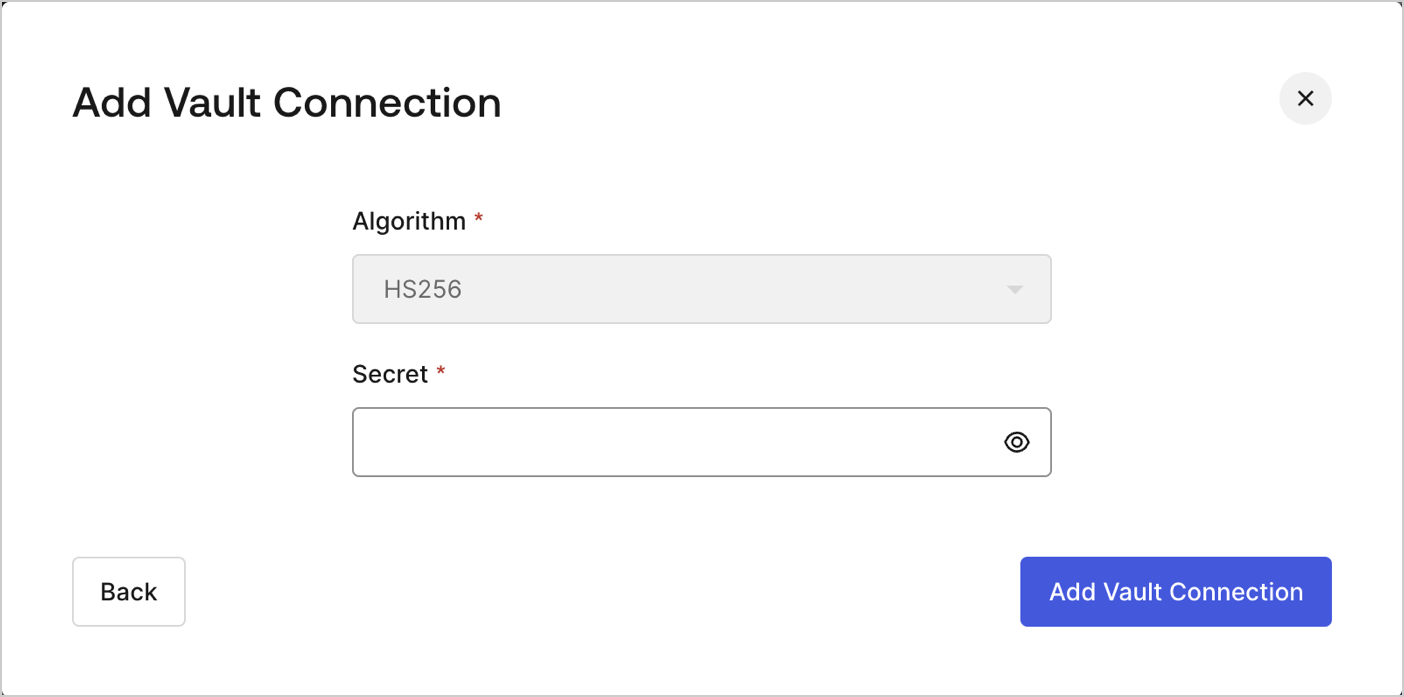
To configure an JWT Vault Connection for your Flows JWT Actions to sign, decode, and verify JSON Web Tokens, you need to set the required parameters.
<Frame>
  <img src="https://mintcdn.com/docs-staging-chore-actions-triggers-autoupdate/HgsMLbiBuhb8-4S3/docs/images/customize/forms/vaults/jwt-vault-connection.png?fit=max&auto=format&n=HgsMLbiBuhb8-4S3&q=85&s=d1064c653f813548c2e3da536dc20dd4" alt="Dashboard > Actions > Forms > Vault > JWT" data-og-width="1404" width="1404" data-og-height="697" height="697" data-path="docs/images/customize/forms/vaults/jwt-vault-connection.png" data-optimize="true" data-opv="3" srcset="https://mintcdn.com/docs-staging-chore-actions-triggers-autoupdate/HgsMLbiBuhb8-4S3/docs/images/customize/forms/vaults/jwt-vault-connection.png?w=280&fit=max&auto=format&n=HgsMLbiBuhb8-4S3&q=85&s=ae9e56d5a3332eb7565adf247ce5a8c4 280w, https://mintcdn.com/docs-staging-chore-actions-triggers-autoupdate/HgsMLbiBuhb8-4S3/docs/images/customize/forms/vaults/jwt-vault-connection.png?w=560&fit=max&auto=format&n=HgsMLbiBuhb8-4S3&q=85&s=900206b113761ed59561011e2485a492 560w, https://mintcdn.com/docs-staging-chore-actions-triggers-autoupdate/HgsMLbiBuhb8-4S3/docs/images/customize/forms/vaults/jwt-vault-connection.png?w=840&fit=max&auto=format&n=HgsMLbiBuhb8-4S3&q=85&s=b9825e1f4fe6e81b10a0d72f38794161 840w, https://mintcdn.com/docs-staging-chore-actions-triggers-autoupdate/HgsMLbiBuhb8-4S3/docs/images/customize/forms/vaults/jwt-vault-connection.png?w=1100&fit=max&auto=format&n=HgsMLbiBuhb8-4S3&q=85&s=f2e909d707e4a4fc7c043f7b388b4045 1100w, https://mintcdn.com/docs-staging-chore-actions-triggers-autoupdate/HgsMLbiBuhb8-4S3/docs/images/customize/forms/vaults/jwt-vault-connection.png?w=1650&fit=max&auto=format&n=HgsMLbiBuhb8-4S3&q=85&s=c42be446559d7d60956362a6147f3ed1 1650w, https://mintcdn.com/docs-staging-chore-actions-triggers-autoupdate/HgsMLbiBuhb8-4S3/docs/images/customize/forms/vaults/jwt-vault-connection.png?w=2500&fit=max&auto=format&n=HgsMLbiBuhb8-4S3&q=85&s=ede9edb174b94909387d0e86bfd457a2 2500w" />
</Frame>

## Input settings

| Parameter | Description                                                 |
| --------- | ----------------------------------------------------------- |
| Secret    | Secret to be used in the HS256 algorithm to encode the JWT. |
